
Is the Cricut Venture Smart Cutting Machine Worth It?
The Cricut Venture is big, expensive, and takes up serious real estate on any workbench. So the first question worth asking isn't "what can it do?" but "who actually needs it?" Cricut launches generate plenty of excitement, and the brand is good at making you feel like the newest machine is the one you've been waiting for. Sometimes that's true. Often it isn't.
This blog about the Cricut Venture smart cutting machine is aimed at people who already know Cricut's lineup and want a straight answer: does the Venture justify its price and footprint, or is your Maker 3 still doing the job just fine? Here's an honest look.
What Is Cricut Venture and How Is It Different From Other Cricut Machines?
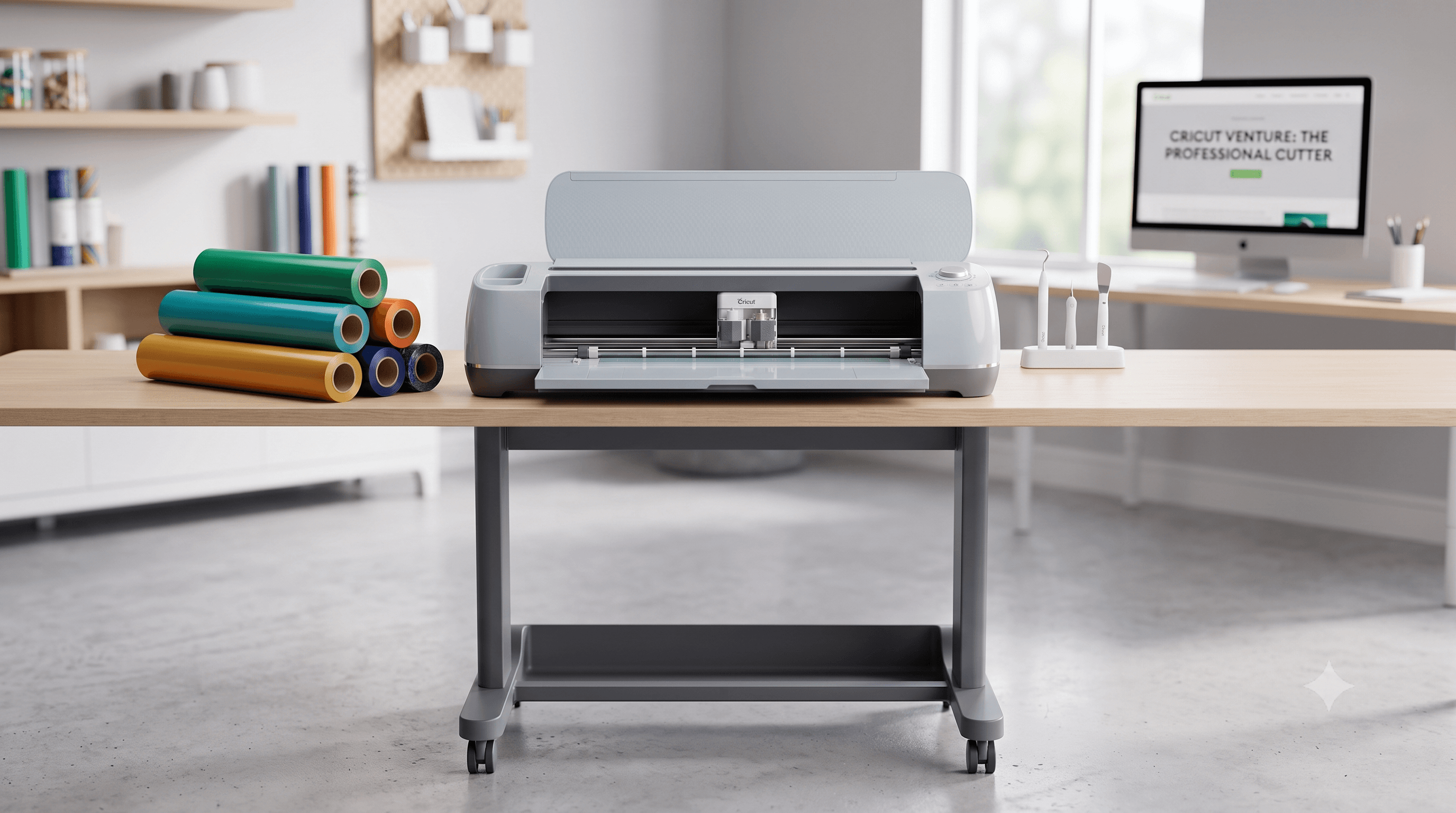
The Cricut Venture is Cricut's largest consumer-facing cutting machine, designed to bridge the gap between home-use machines like the Maker 3 and professional-grade plotters. The defining feature is its 24-inch cutting width, which is double what every other Cricut machine offers. That's not a minor upgrade; it changes what you can produce in a single pass.
Like the Explore 3 and Maker 3, the Venture uses Smart Materials, which means you can cut without a mat for most projects. It connects via Bluetooth or USB and runs through Cricut Design Space, so the software experience is familiar if you've used any recent Cricut machine.
What it isn't: a plotter for industrial production, or a direct replacement for a Maker 3. It occupies a specific niche, and understanding that niche is everything when deciding whether it belongs in your studio.
Cricut Venture Machine: The Specs That Actually Matter
The 24-inch cutting width is the headline, but the full picture matters for buyers.
With Smart Materials (no mat required), the Venture cuts lengths up to 12 feet. When you're using a mat, that drops to 4 feet. For most high-volume work, you'll be using Smart Materials, so the 12-foot capability is what you'll lean on most.
The Venture has only one tool head. The Maker 3's adaptive tool system lets you swap in a rotary blade, knife blade, foil transfer tool, and more. The Venture doesn't have that flexibility. It's built for speed and scale on specific materials, not versatility across all of them.
Material compatibility is solid but bounded. The Venture handles Smart Vinyl, Smart Iron-On, Smart Paper Sticker Cardstock, poster board, standard materials on a mat, and Venture-specific cardstock. It cuts well and cuts fast, especially on vinyl.
One more cost to factor in: the Cricut Venture stand. At this size and weight, the machine needs a dedicated, stable surface. The stand Cricut sells is essentially non-optional if you're setting this up as a permanent workstation. It's an added expense, and it belongs in your total cost calculation from day one.
Breaking Down the Cricut Venture Price (Including What You'll Need to Buy Separately)
The Cricut Venture price sits around $499 for the machine alone, though retail pricing varies and Cricut runs periodic sales through its own site and major retailers.
Check current pricing at Cricut.com and Amazon before assuming any number here is exact. Prices shift with sales and retailer promotions.
That machine price is just the starting point. Add the stand (roughly $150-$200), Smart Materials (priced higher per roll than standard materials), and any accessories, and you're comfortably over $800 to $900 before you've cut a single piece of vinyl.
Compare that to the Maker 3, which typically runs $399 and includes a far more versatile tool system. The Explore 3 comes in even lower. The Venture's premium is real, and it's not spread across versatility. You're paying for width and volume capacity on specific material types.
For a small business that sells vinyl decals, banners, or wall graphics at volume, that math can make sense quickly. For a hobbyist who cuts a few projects a month, it almost certainly doesn't. Be honest with yourself about which category you're in before the price tag gets rationalized by excitement.
What It Cuts and What It Doesn't
Cricut Venture materials cover a useful but specific range. Here's what works well:
Smart Vinyl (both permanent and removable), Smart Iron-On, Smart Paper Sticker Cardstock, poster board, standard cardstock and vinyl on a mat, and Venture Cardstock. For a vinyl-focused workflow, that's a strong lineup.
Here's what it doesn't do: the Venture can't use a knife blade, which means chipboard, thick balsa wood, and thick leather are off the table. If you've built your workflow around those materials on a Maker 3, the Venture isn't a full replacement. It's a complement or a specialization, not an upgrade in every direction.
One thing that becomes more important at 24-inch scale: your SVG files need to be clean. Design errors that look minor on a 12-inch cut become obvious at 24 inches and can ruin a full sheet of expensive Smart Vinyl. A tool like CutMagic's SVG Fixer lets you create and fix your SVG before committing it to a large cut on costly material.
The single tool head is the honest constraint that runs through everything. The Venture does what it does at impressive scale. It just doesn't do everything.
Is the Cricut Venture Smart Cutting Machine Right for You?
Here's where this gets direct.
Buy the Venture if you're regularly pushing against the 12-inch width limit and spending time piecing together designs that should be single cuts. If you sell vinyl decals, wall art, or signage and volume is part of your business model, the efficiency gains are real.
If you run a small studio with dedicated space and need to process larger orders faster, the Venture earns its place. The price fits a legitimate business budget when it's replacing time and materials, not just replacing a machine.
Skip the Venture if you cut a few times a month for personal or occasional projects. If your workflow relies on the Maker 3's knife blade, rotary blade, or foil tool, you'll lose capabilities you actually use.
If you're newer to Cricut and haven't yet pushed the limits of your current machine, this isn't the upgrade you need. And if budget is a genuine constraint, the Maker 3 covers the large majority of crafting needs at a considerably lower entry point.
The Venture is a production tool that happens to be marketed as a consumer product. The best buyers treat it that way.
Cricut Venture vs Maker 3: Which One Should You Get?
This is the comparison most people are actually weighing.
Cutting width: Venture wins at 24 inches versus 12. If width is your primary constraint, this alone decides it.
Material versatility: Maker 3 wins, and it's not close. The adaptive tool system gives the Maker 3 access to materials and cut types the Venture simply can't match with its single tool head.
Speed and volume on compatible materials: The Venture is faster for large-format work. Running large vinyl jobs on the Maker 3 works, but the Venture processes them at greater width with less repositioning and interruption.
Price difference: Maker 3 runs roughly $200-$300 less for the machine alone. Factor in the stand requirement for the Venture and the gap widens.
Who each is for: The Maker 3 is a genuinely versatile machine that handles a wide range of projects at a scale most crafters actually need. The Venture is a specialization tool for crafters who know they need 24-inch width and can use it consistently.
Neither is universally better. They serve different crafters at different scales of production. The mistake is treating the Venture as simply "more Maker 3." It's a different machine with a narrower, more specific purpose.
Common Questions about Cricut Venture
What is Cricut Venture?
The Cricut Venture is Cricut's largest consumer cutting machine, featuring a 24-inch cutting width and compatibility with Smart Materials (no mat required for most cuts). It's designed for high-volume, large-format cutting, particularly for vinyl, iron-on, and cardstock applications.
Does the Cricut Venture need a mat?
Not for most cuts. The Venture uses Smart Materials that feed directly into the machine without a mat, allowing cuts up to 12 feet long. Mat-based cutting is supported but limits cut length to around 4 feet.
What is the Cricut Venture price?
The Venture typically retails around $499 for the machine alone. Adding the stand and initial Smart Materials brings real out-of-pocket costs closer to $800 to $900 or more. Pricing varies by retailer and sales timing, so check current listings before purchasing.
Does the Cricut Venture cut vinyl?
Yes, and it's the machine's strongest use case. It cuts Smart Vinyl (permanent and removable) at up to 24 inches wide, enabling full-size decals, banners, and vehicle graphics in a single pass. Smart Vinyl is used without a mat, which speeds up high-volume vinyl workflows considerably.
Do I need the Cricut Venture stand?
You don't strictly need Cricut's stand, but a dedicated, stable surface is essentially required. The machine is significantly larger and heavier than other Cricut models, and it needs consistent support to operate properly. If you don't buy the Cricut stand, you'll need a sturdy alternative. Plan for that cost either way.
Final Verdict
The Cricut Venture is worth it for a specific type of crafter: someone running a vinyl-focused small business, processing high volumes of large-format cuts, or consistently running up against the 12-inch width limit on their current machine. For those users, the wider cut, the Smart Material speed, and the reduction in wasted setup time genuinely justify the investment.
For everyone else? The Maker 3 still handles most cutting needs at a lower price and with considerably more material flexibility. The Venture isn't a better Cricut machine. It's a more specialized one.
A clean SVG matters for every Cricut machine. Fix your SVG using CutMagic's SVG Fixer before cutting, especially at larger scales where design errors get expensive fast.
Before deciding, look at your actual cutting history for the past three months. How often did you wish you had more width? How much of your work is vinyl-based and high-volume? The machine that makes sense is the one that solves the problems you actually have, not the ones that sound appealing in a product launch.