
How to Build a 10-in-1 SVG Bundle Listing
Most SVG bundle listings on Etsy fail before a buyer even opens the zip file. The problem usually isn't the designs, it's that the bundle listing looks like ten random files got thrown together at the last minute. Fix the presentation and the same files sell better.
Why Most SVG Bundles Look Thrown Together
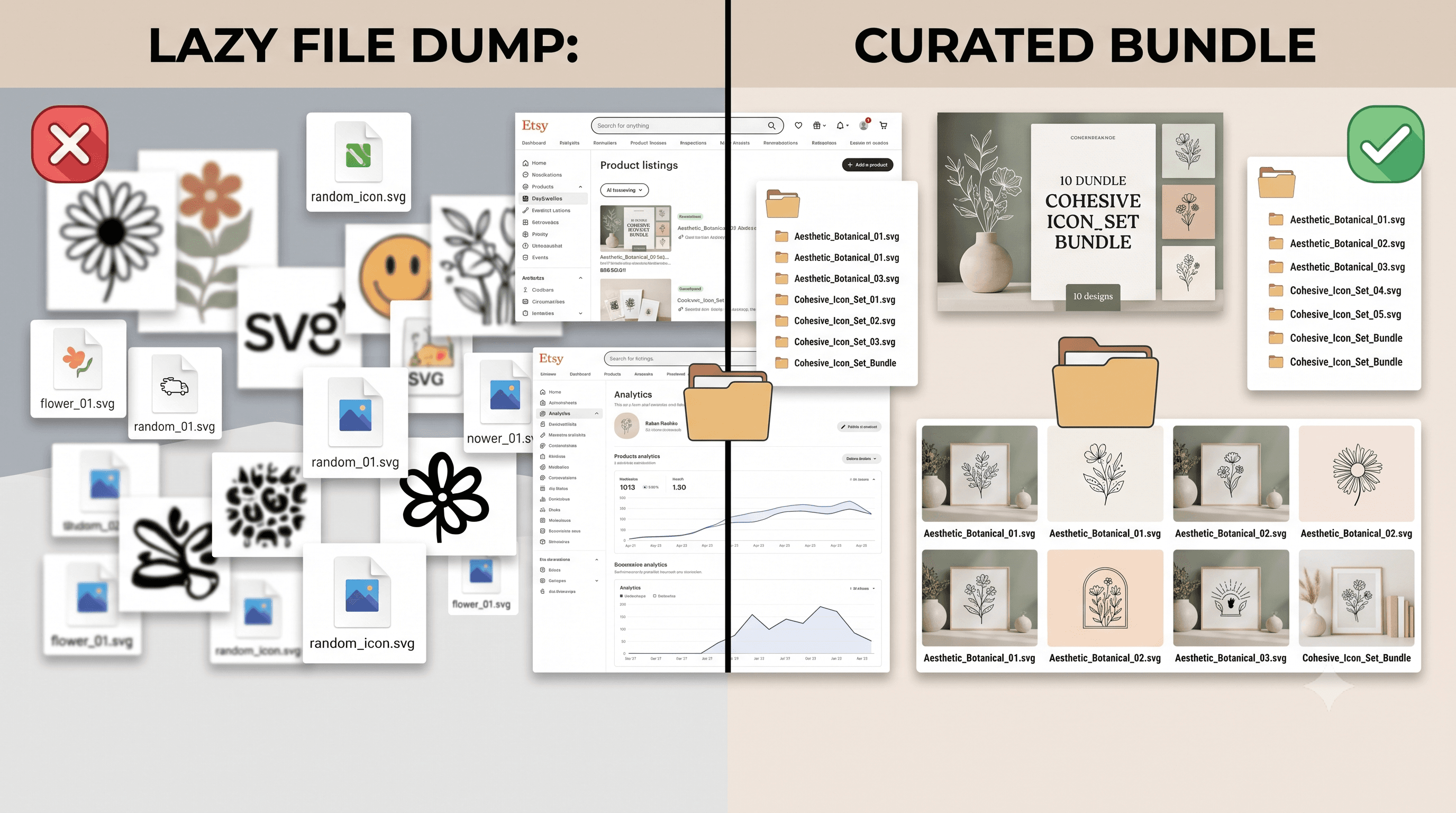
Walk through any Etsy search for SVG bundles and you'll spot the same issues over and over. No cohesive theme tying the designs together, so the bundle feels like a random grab bag instead of a curated set.
Inconsistent file quality is another giveaway. One design has clean paths and proper layering, the next has stray anchor points or a font that doesn't cut well. Buyers notice, even if they can't name what's wrong.
Titles are often just a string of keywords stacked on top of each other with no readable sentence in between. And the cover image is usually one blurry screenshot trying to show ten different designs at once, so none of them actually look good.
None of this means the designs are bad. It means the listing isn't doing its job.
Picking a Theme That Holds the Bundle Together
A themed bundle almost always outsells ten unrelated designs bundled together just to hit a round number. Farmhouse kitchen signs, minimalist line art, fall porch decor, whatever the niche, the theme gives buyers a reason to want all ten instead of just one.
This is a strategy decision before it's a technical one. Ask what a buyer working on a specific project would want next. A wedding bundle with matching fonts and motifs sells itself. Ten SVGs that have nothing in common ask the buyer to do the work of figuring out why they'd want all of them.
If you're staring at a folder of finished designs trying to force them into a bundle, that's usually a sign the theme came after the files instead of before them. Next time, pick the theme first.
Setting Up the Etsy Digital Download Bundle
Once the theme is set, the technical setup is what separates a professional Etsy digital download bundle from a folder someone zipped in a hurry.
This is the same groundwork covered in How to Start an Etsy SVG Shop, if you haven't nailed down the basics of your shop setup yet, that's worth reading first.
Writing an SVG Bundle Title That Doesn't Sound Generic
A good title front-loads the theme and the count, then describes the bundle in a way a person would actually search for or click on.
Titles that work:
- "Farmhouse Kitchen SVG Bundle, 10 Rustic Sign Designs for Cricut and Silhouette"
- "Minimalist Line Art SVG Bundle, 10 Modern Wall Art Cut Files"
Titles that read as keyword stuffing:
- "SVG Bundle Cricut Silhouette Cut File Farmhouse Kitchen Sign Decor 10 Pack Digital Download"
The difference is readability. If you're stuck for bundle title ideas, start by describing the bundle out loud to a friend, then trim that sentence down instead of building it up from a keyword list.
What Makes a Bundle Look Trustworthy at a Glance
Buyers judge a bundle in seconds, before they read a single word of the description. A single clean cover mockup showing all ten designs together, laid out consistently, does more work than any amount of copy.
Preview thumbnails matter too. If each design photo has a different background, lighting, or mockup style, the listing looks patched together even if the files themselves are solid. Clear labeling of what's included, file formats, commercial use terms, and machine compatibility removes the guesswork that makes buyers hesitate before checking out.
This is where a tool like CutMagic's Etsy Studio actually earns its place. Grouping the ten designs into a cohesive bundle set and generating consistent size variants across the whole set is exactly the kind of setup work that separates a bundle that looks curated from one that looks dumped together. It's not a shortcut around having a good theme, it just removes the manual busywork of keeping everything visually consistent once the theme is set.
For more on what buyers actually check before purchasing, see How to Buy High-Quality SVG Files for Cricut on Etsy.
How to Price a 10-in-1 SVG Bundle
Figuring out a price buyers will actually accept comes down to simple math most sellers skip. Price the bundle as a discount off what ten individual files would cost separately, not as a random flat number that feels easy to type.
If each design sells individually for $4, ten files add up to $40. A bundle priced at $22 to $28 gives buyers a clear reason to buy all ten instead of picking one or two. That gap is the entire pitch.
Underpricing hurts just as much as overpricing. A 10-in-1 bundle priced at $6 signals low effort and low value, even if the designs themselves are good. Buyers read price as a proxy for quality before they've even opened the files.
For a deeper look at pricing logic that applies beyond SVGs, see Effective Strategies for Pricing Handmade Decals.
Bringing It Together
A bundle sells on the strength of its structure and presentation as much as the designs inside it. The theme gives buyers a reason to want all ten files, the zip structure and file guide make the purchase easy to use, and a clean cover image plus fair pricing make the decision easy to trust.
Get that setup right once and the same bundle keeps generating passive income long after the initial work is done. It's also exactly what makes a listing worth revisiting and improving as you learn what your specific audience responds to, rather than something you build once and forget about.